🔍 Search on Thematic
Thematic makes it easy to discover the perfect song, artist, playlist, or creator for your next video.
To search across Thematic:
-
Use the search bar in the top navigation menu on desktop (or from the main menu on mobile).
-
As you type, you’ll see the page update to show matching songs, playlists, creators, and music artists - you can click on any of these results directly.
To search songs:
-
Click to go to the Songs page
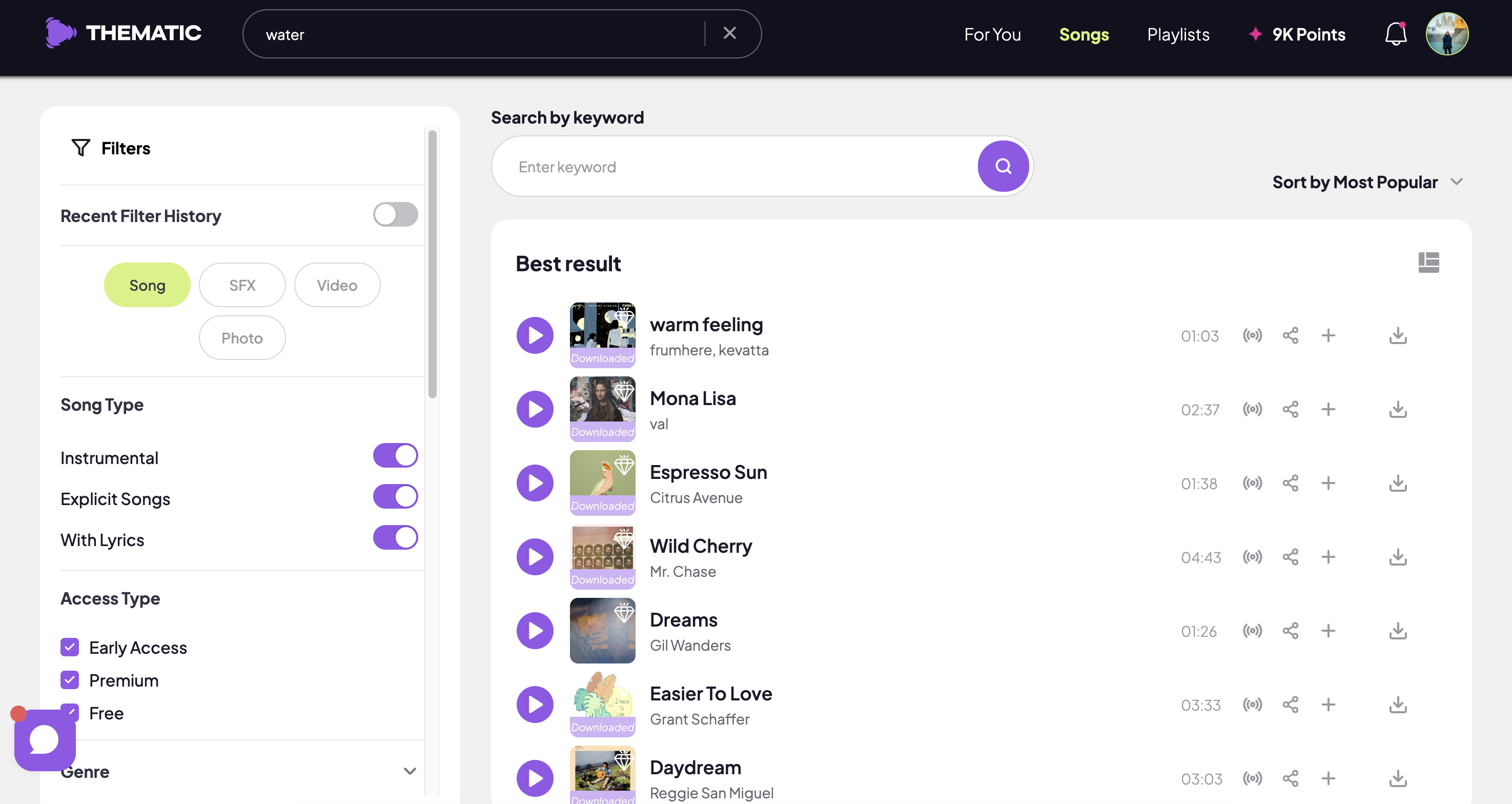
- Enter your search keyword to search songs by song title or artist name
🎚️ Filter Music by What Matters to You
On the Songs page, you can narrow down your options with detailed filters tailored to your content style.
Available filters include:
-
✅ Instrumental Only
- 📣 Songs with Lyrics Only
-
🚫 Explicit
-
💎 Free, Premium or Early Access Songs
-
🎶 Genre & sub-genres
-
🎧 Vibe or mood
-
🎥 Video keywords
-
⚡️ Energy or tempo
- 🎤 Vocal type
- 🥁 Featured instrument
- 💃 Movement
- 😯 Emotional Dynamic & Profile
-
🕺 BPM
- ⏱ Song length
-
🌎 Language
-
📍 Artist location
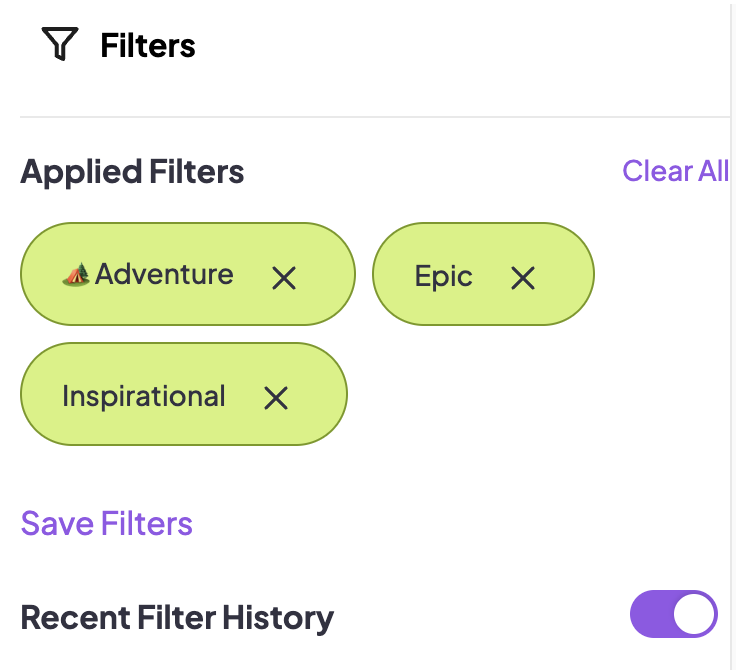
Filters apply automatically when selected. To remove one, click the “x” on the filter tag. To clear all filters, click “Clear All” at the top of the filter panel.
💾 Save Your Most Used Song Filters
Do you like to use the same song filters when finding music? We've got you covered!
Click to apply your favorite or most-used song filters then click Save Filters to save these specific filters to your account.
On your next visit, simply click Recent Filter History to automatically apply your saved tags.
With flexible search tools and powerful filters, Thematic makes it easy to find music that’s just right for your content and creative flow.
Need help? Reach out anytime at team@hellothematic.com!
